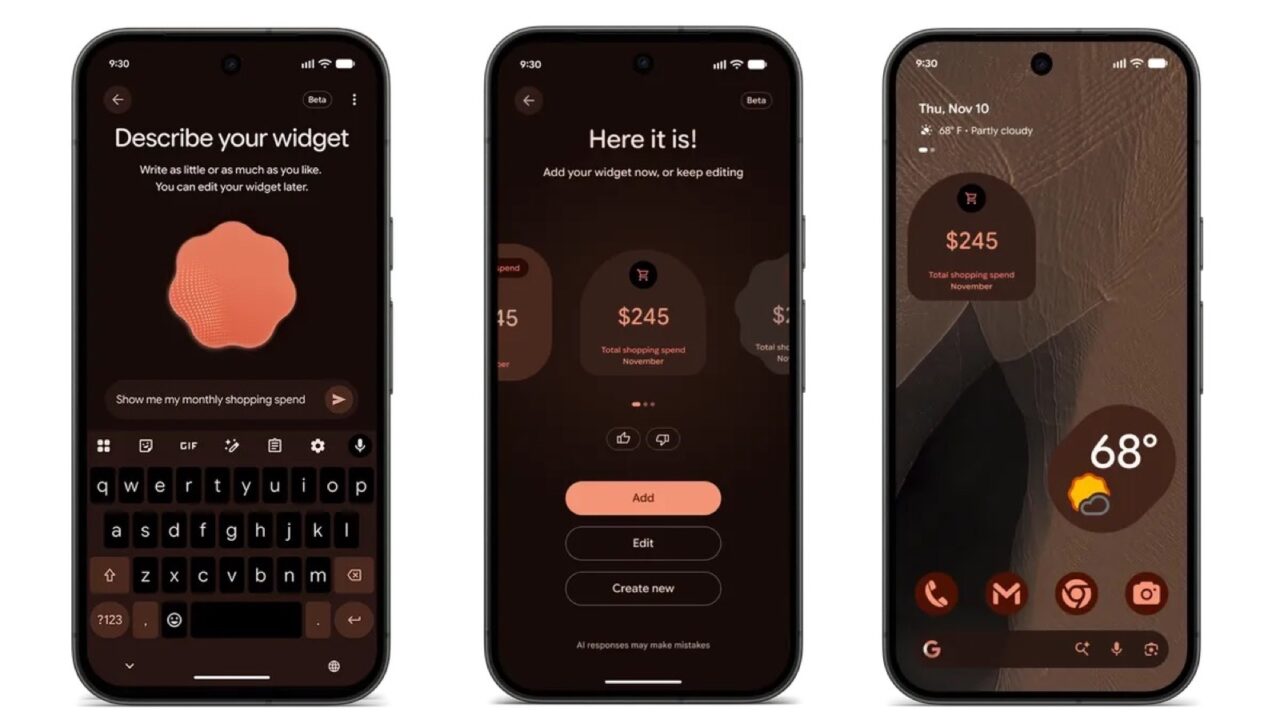
Google’s November Pixel Drop started rolling out on November 10, and it’s a big one for Pixel 10 owners. Their phones are getting Gemini Intelligence, the set of AI features that launched with the Pixel 11, including the Rambler voice typing tool. There’s also a widget builder that works from plain-language prompts, a smarter Calculator, an automatic Transit Mode and a long list of smaller updates for Pixel phones and watches. As with every Pixel Drop, the rollout happens in stages over the next several weeks.
Pixel 10 gets Gemini Intelligence
The Pixel 10, Pixel 10 Pro, Pixel 10 Pro XL and Pixel 10 Pro Fold now get the Gemini Intelligence features that debuted on the Pixel 11 series:
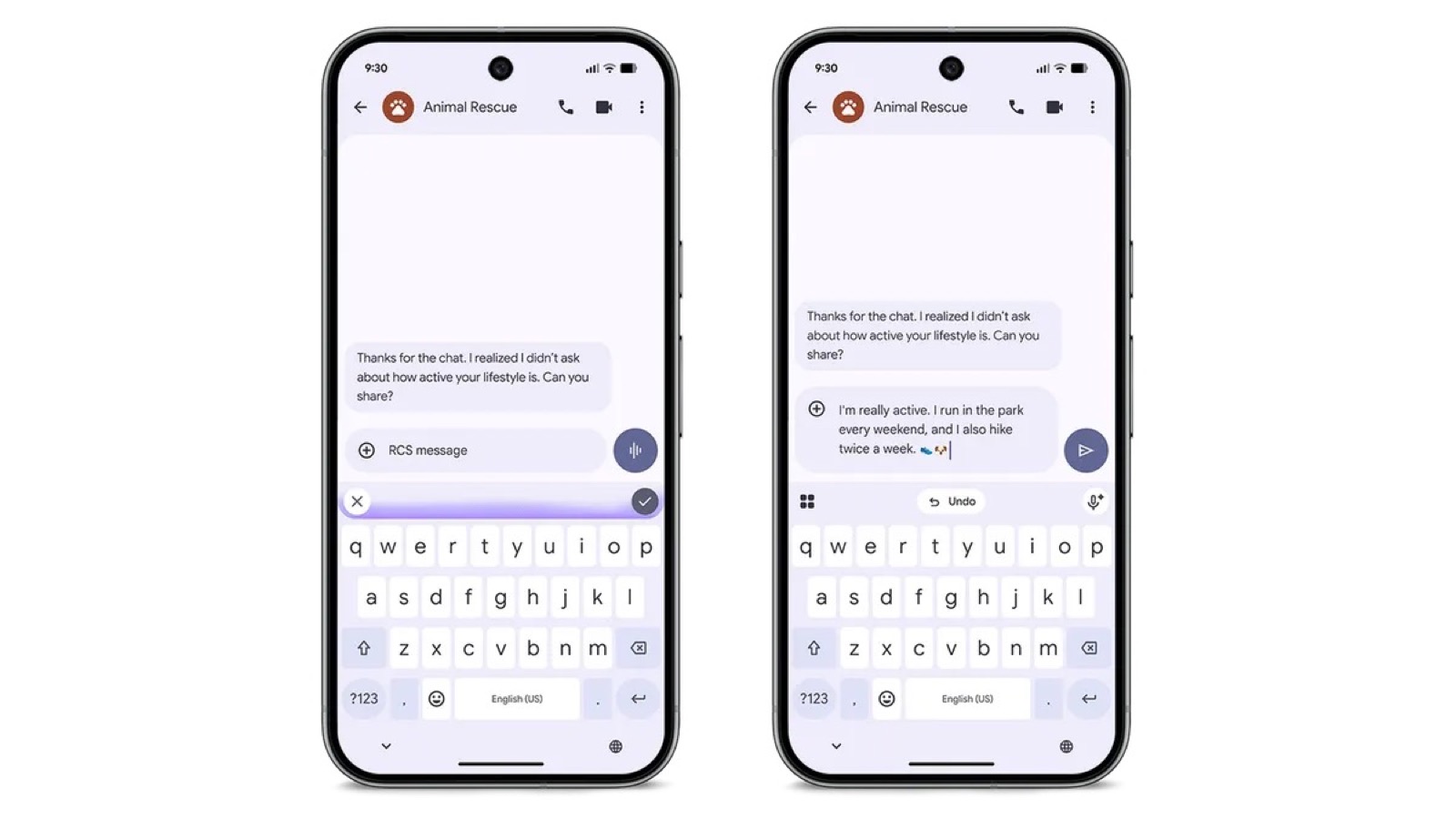
- Rambler: an upgrade to voice typing that removes filler words like “um” and turns what you say into clean, formatted text. It’s available in all regions and languages.
- Multi-step tasks: Gemini can handle errands like ordering groceries or takeout, booking a ride or finding a restaurant reservation through supported apps. Google says this is now also available in Japan, the UK and India.
- Proactive suggestions: for example, offering to share your ETA when someone asks when you’ll arrive.
- Calls on your behalf: in the US, in English, Gemini can place calls using your own number to make or change a reservation, put an item on hold or check if a store has something in stock.
- Extreme Charging Mode, introduced with the Pixel 11, is also coming to the Pixel 10 series in select regions.
New features in the November Pixel Drop
- Create My Widget: describe the widget you want, like a tracker for your monthly spending or a countdown to a trip, and your Pixel builds it. It’s available on the Pixel 10 and Pixel 11 series in select regions and languages, and it’s coming soon to the Pixel Watch 4 and Pixel Watch 5.
- Pixel Solver: AI-powered, step-by-step math help inside the Calculator app. It’s exclusive to the Pixel 11 series.
- Unit Conversion in Calculator: converts units and currencies with real-time exchange rates, on the Pixel 6a and newer.
- Gemini Call Screen (Pixel 11): when you screen a call from an unknown number, Gemini now talks with the caller more naturally and shows a live transcript, so you can decide when to pick up. It’s available in the US in English.
- Transit Mode 2.0: instead of turning it on yourself, Transit Mode can now switch on automatically using your phone’s sensors. It works on the Pixel 6a and newer.
- Live location in Pixel VIPs: your closest contacts’ cards and widgets can now show their live location and battery level from Find Hub, on the Pixel 6a and newer.
- Family Hub: a new section in Settings that gathers Google’s family management tools in one place, on the Pixel 6a and newer.
- 10 new custom icon styles, now generated with Google’s Nano Banana model for higher-quality icons, on the Pixel 6a and newer.
- Pixel Search for older phones: the natural-language search in the app drawer, which finds photos, emails, messages, events and settings, is rolling out to the Pixel 6 and newer.
- HiLight works with Google Messages: on the Pixel 11 Pro models, the rear light now glows when a favorite contact texts you while the phone is face down.
Notification summaries for long conversations are also expanding to more languages, including German, French, Spanish, Italian, Hindi and Traditional Chinese, on the Pixel 9 and newer (excluding A-series models).
Pixel Watch updates
- Step-by-step workouts: guidance for each exercise in a routine, with reps, weights and live metrics on your watch or phone. It’s rolling out to the Pixel Watch 3 and newer.
- Notification summaries are coming soon to the Pixel Watch 3 and newer when paired with a Pixel 9 or Pixel 10 (excluding A-series models).
- Phone to Watch Unlock: soon you’ll be able to unlock your Pixel Watch with your nearby paired phone instead of typing a PIN, where UWB is allowed.
Pixel Tag goes on sale
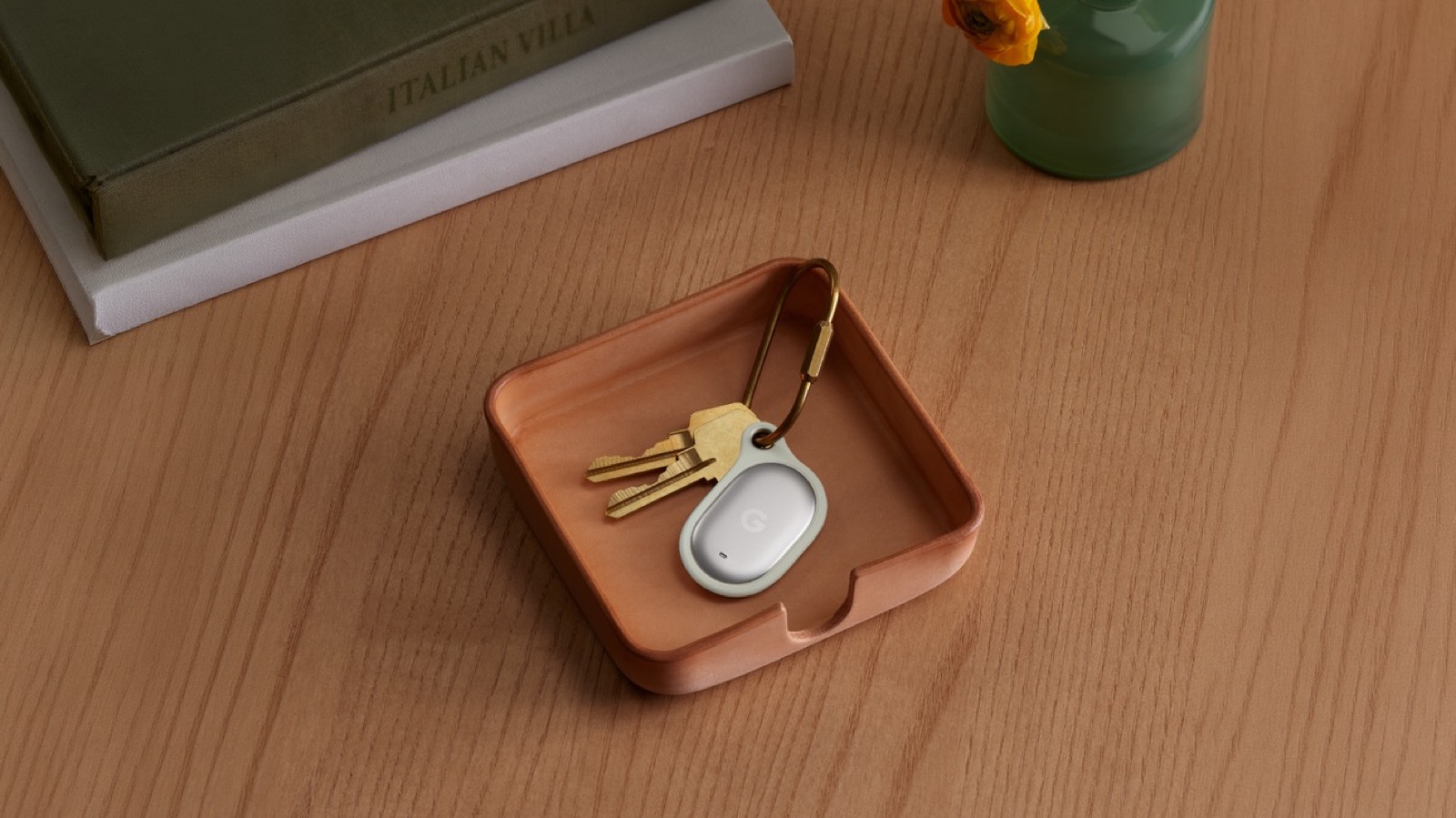
Google’s first item tracker, the Pixel Tag, goes on sale November 11. It’s slim enough to fit in a wallet, has a battery that Google says lasts over a year, and uses the Find Hub network of more than a billion Android devices to locate your things even when they’re miles away. Ultra-wideband (UWB) adds on-screen direction and distance when you’re close. It works with phones running Android 9 or later. If you already use Find Hub, see how its new left-behind alerts work.
How to get the update
The November Pixel Drop arrives as a regular system update. On your Pixel, open Settings, then System, then Software updates, and tap System update to check for it. Because Google rolls features out in stages, some may take a few days or weeks to appear even after you install the update. If you’re tweaking your Pixel after the update, here are the Android settings worth turning off on a Pixel.
Sources: Google: November Pixel Drop, Android Authority: every new feature
Where to buy


As an Amazon Associate I earn from qualifying purchases.