If you’ve just placed an order with Apple and want to know where it stands, this guide is for you. We’ll walk through how to check Apple order status on the web, in the Wallet app, and automatically through Mail on iPhone, plus what each status message actually means and what to do if your order isn’t showing up at all.
Before you start
- Your Apple ID and password, used to place the order
- A web browser, or an iPhone/iPad running iOS 16, iPadOS 16, or later for Wallet order tracking
- iOS 17 or later if you want to manually add an order to Wallet from the confirmation screen
- An iPhone model that supports Apple Intelligence if you want Mail to detect orders automatically (availability depends on your country or region)
- No backups are needed for this task since you won’t be changing any data on your device
Method 1: Check order status on the Apple Store website
- Go to your Order Listing page and sign in with your Apple ID and password.
- Select an item from your order list to view its full details.
- Look for the progress bar and status message shown next to each item.
If you placed your order online, allow about an hour before it shows up here. If you mailed or faxed in an order instead, give it up to 24 hours to appear in the system. Orders completed more than 18 months ago are no longer accessible through this page.
Method 2: Check order status in the Wallet app on iPhone
For purchases made with Apple Pay
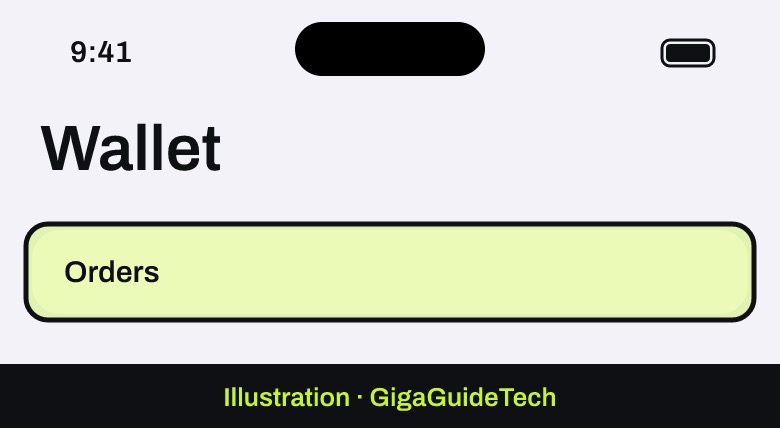
- Open the Wallet app on your iPhone.
- Tap Orders.

Illustration: Wallet app - Tap an order to see its details, including status, estimated arrival, and tracking links where available.
From a card transaction
- Open the Wallet app.
- Tap your credit or debit card.
- Tap a recent transaction to view related order information, if any is available.
Adding an order manually
- On the order confirmation screen, look for a Track with Apple Wallet button.
- Tap it to add the order to Wallet.
This manual option works in apps on iOS 17 or iPadOS 17, and on the web using devices running iOS 17, iPadOS 17, or macOS Sonoma. Note that Order Tracking isn’t guaranteed for every purchase — it depends on the merchant and on whether order details can be found in Mail or Photos. Orders placed on your other devices will also appear here as long as you’re signed in with the same Apple Account.
Method 3: Let Mail track orders automatically
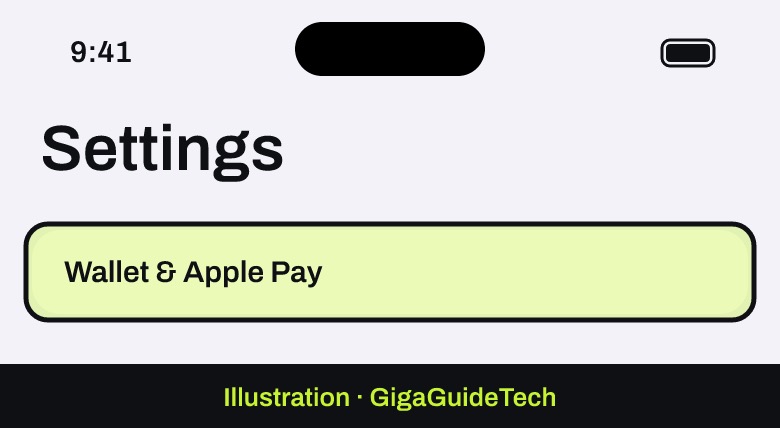
- Open Settings and tap Wallet & Apple Pay.
Illustration: Settings > Wallet & Apple Pay - Tap Order Tracking and make sure the toggle for Mail is switched on.
Illustration: Settings > Wallet & Apple Pay > Order Tracking - In an order-related email, tap Track. You may be asked to tap Allow to confirm.
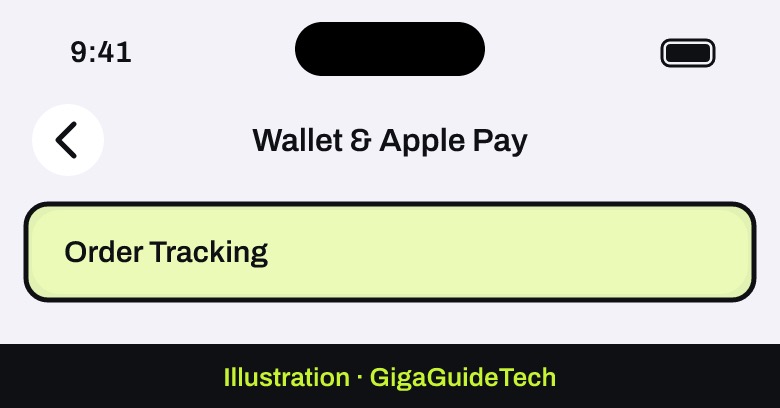
Once enabled, Apple Wallet uses Apple Intelligence to scan Mail for order confirmation and shipping emails, pulling out details like the organization name, order status, and tracking number. Status updates automatically as new emails arrive from the organization or carrier, matched by order or tracking number, and Wallet can notify you when your order ships or is delivered.
To make sure you actually get those alerts, go to Settings > Notifications > Wallet and turn notifications on.
Keep in mind this feature depends on the format of the emails sent by the retailer or carrier, so it won’t catch every order perfectly, and it only works on iPhone models that support Apple Intelligence in supported countries or regions.
What the status messages mean
- Order Placed — Apple has your order and payment info and will start preparing it soon.
- Processing — The item is being prepared; you’ll get an update once it’s ready.
- Preparing to Ship — Final details are being completed before shipping. You’ll get an email once it ships.
- Shipped — Your item is on its way. Tracking details appear within 24 hours.
- Delivered — The package has arrived at the shipping address on file.
- Shipping to Store — Your item has shipped and is heading to an Apple Store for pickup.
- Check in Today — The item will be available at the Apple Store later today.
- Ready for Pickup — Bring a valid government-issued photo ID and your order number to collect it.
- Picked up — The item has already been collected from the Apple Store.
About shipment and delivery dates
This matters right now: iPhone Duo pre-orders placed this week are already showing delivery dates in 2027, so the order status page is the place to watch for changes.
Apple aims to ship orders on or before the estimated shipment date shown on the order status page, based on the lead time quoted when you placed the order. That lead time is counted in business days, Monday through Friday, and doesn’t include bank holidays. If supply changes affect that timeline, Apple says it will reach out by email or phone with a revised shipping estimate, so it’s worth keeping an eye on your inbox even after you’ve placed the order. Once your item ships, you’ll receive a shipment notification email with tracking information.
If it still doesn’t work
- If your order isn’t listed after the expected wait — one hour for online orders, 24 hours for mailed or faxed orders — contact Apple directly by email for help.
- If the tracking information shown in Wallet looks wrong or incomplete, remember that it reflects data from the merchant. Tap Manage Order to visit the retailer’s site, or Email This Merchant to reach out directly, if those options are available.
- Related emails tied to an order can be viewed by tapping the entries listed under Related Email in Wallet.
- You can also track a shipped package directly on the shipping carrier’s own website using the tracking number from your confirmation email.
FAQ
How long after ordering can I check my Apple order status?
Online orders typically show up within about an hour. Orders placed by mail or fax can take up to 24 hours to appear.
Why isn’t my order showing up in Apple Wallet?
Order Tracking in Wallet isn’t available for every purchase. It depends on the merchant and whether Apple can find relevant details in Mail or Photos, and the feature requires iOS 16, iPadOS 16, macOS 13, or later.
Can I check an old Apple order from more than a year ago?
Not through the web order status page — completed orders older than 18 months aren’t accessible there.
Will Apple tell me if my delivery date changes?
Yes. If the lead time for your order changes due to supply issues, Apple says it will contact you by email or phone with an updated shipping estimate.
The bottom line
Checking your Apple order status only takes a minute once you know where to look: the Order Listing page on the web, the Orders section in Apple Wallet, or automatic tracking through Mail if your iPhone supports it. Once your new device arrives, the next step is usually setting it up — if that’s an iPhone, our guide on how to transfer everything to a new iPhone walks through the easiest ways to move your data over.
Sources: Apple, Apple Support