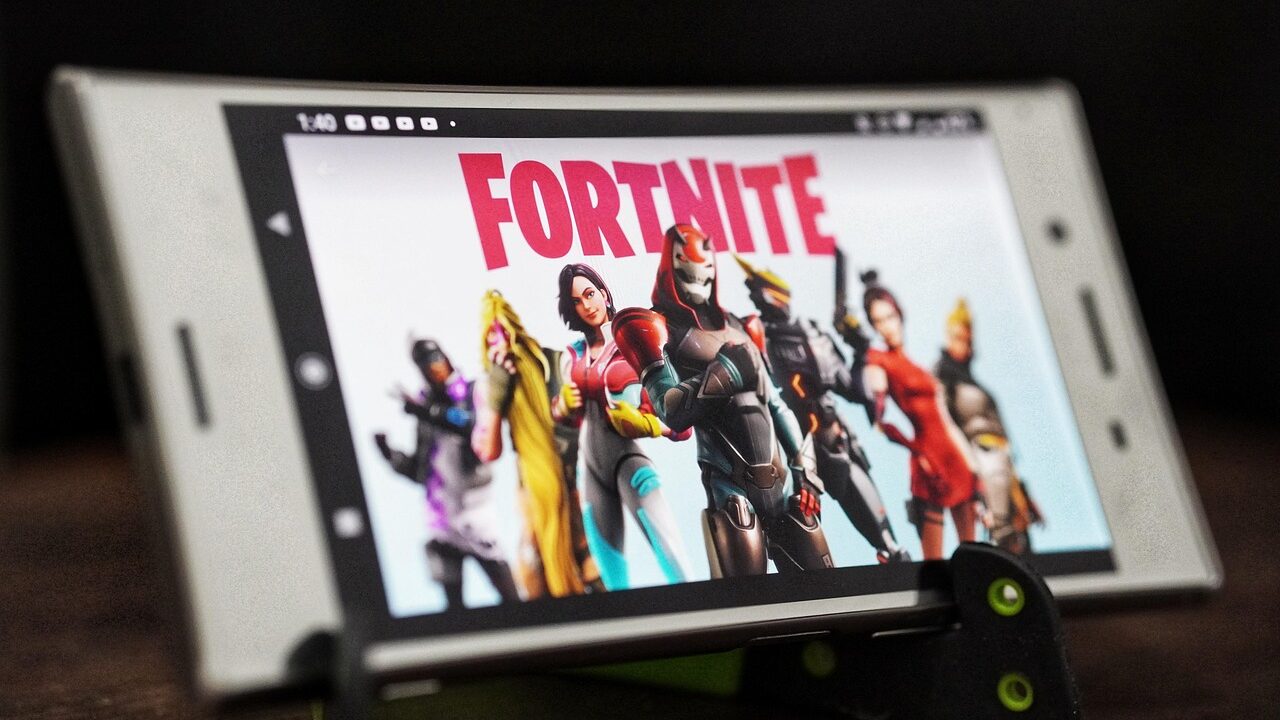
This guide is for anyone who wants to download and play Fortnite on a PC, Xbox, PlayStation, iPhone, iPad or Android phone. Fortnite is free on every platform, and after several years away it is back on Apple’s App Store and Google Play in the United States. By the end you’ll know where to get it for your device, or how to play it instantly through cloud gaming if it isn’t available where you live.
Before you start
- A free Epic Games account (created during setup if you don’t already have one).
- On PC: Windows 10 version 18362.0 or higher.
- On iPhone/iPad: iOS 17.0 or iPadOS 17.0 or later.
- On Android: 64-bit Android on an ARM64 processor, Android 8.0 or higher, 4GB of RAM or more, and a compatible GPU such as Adreno 530+, Mali-G71 MP20, or Mali-G72 MP12+.
- Up to 4.5GB of free storage space for the mobile app.
- A stable, high-speed internet connection, especially important if you plan to use cloud gaming instead of installing the app.
Downloading Fortnite on Windows PC
- Go to the Fortnite website and click the Download link in the upper right corner.
- Choose PC/MAC as your platform and sign up or sign in with an Epic Games account.
- The Epic Games Launcher installer will begin downloading automatically.
- Open the downloaded file to install the Epic Games Launcher.
- Launch the Epic Games Launcher and search for Fortnite.
- Click Download or Install.
- Once installation finishes, launch the game and sign in to play.
If you’d rather skip the Epic Games Launcher, you can also log in with a Microsoft account and download Fortnite directly from the Microsoft Store.
Downloading Fortnite on Xbox and PlayStation
Xbox One and Xbox Series X|S
Fortnite is free to download directly from the Xbox Store on your console. It’s available on Xbox One, Xbox Series X|S, and supports Smart Delivery and Xbox Play Anywhere, meaning your progress carries over between console generations. On supported hardware it runs up to 120fps at 4K Ultra HD, with online multiplayer for up to 100 players.
PS4 and PS5
Fortnite can be downloaded for free on PS4 and PS5 as a 100-player battle royale experience. It supports PS5 Pro enhancements along with the DualSense’s vibration and trigger effects. If you’d rather stream it instead of installing it, PS5 and PS5 Portal cloud streaming are available, but only with a Premium PlayStation Plus subscription.
Downloading Fortnite on iPhone and iPad
Fortnite is free on Apple’s App Store in the United States and requires iOS 17.0 or iPadOS 17.0 or later. In the European Union you can also install it through the Epic Games Store app from fortnite.com/download.
- Open the App Store.
- Search for Fortnite and check that the developer is Epic Games.
- Tap Get, then open the game and sign in with your Epic Games account.
Availability still varies by country. If Fortnite doesn’t appear in your App Store, play it through cloud gaming instead, covered below.
Downloading Fortnite on Android
Fortnite is listed on the Google Play Store in the United States. It is also available worldwide through the Epic Games Store app and, on Samsung phones, the Galaxy Store.
Google Play
- Open the Play Store.
- Search for Fortnite and check that the developer is Epic Games.
- Tap Install, then open the game and sign in.
Samsung Galaxy devices
- Swipe up on your home screen to open your apps.
- Tap Galaxy Store.
- Tap the search icon and enter “Epic Games.”
- Tap the search icon again, then tap the download icon next to the Epic Games app.
- Once downloaded, tap the play button to open the Epic Games app.
- Tap Fortnite, then tap INSTALL.
- When the download finishes, tap LAUNCH to start playing.
Alternatively, you can install from the Epic Games website: open the Internet app, go to the Epic Games for Android page, tap Download the app from Epic Games, then Download, then Open file. If prompted that installing from unknown sources isn’t allowed, tap Settings, switch on the toggle for your browser app, then tap Install. Once installed, open the app, tap Fortnite, then tap install followed by Launch.
Other Android devices
- Visit epicgames.com/fortnite from your device’s browser.
- Download and install the Epic Games app. If blocked, go to Settings > Security > Install unknown apps and allow installation from your browser.
- Open the Epic Games app and download Fortnite through it.
Only download the installer from Epic Games’ official website — installing from unofficial sources risks malicious fake versions of the game.
Playing Fortnite Through Cloud Gaming
If direct installation isn’t available on your device, or you just don’t want to use up storage space, Xbox Cloud Gaming lets you play Fortnite through a browser. All you need is a Microsoft account and an iOS, iPadOS, or Android phone or tablet, or a Windows PC with internet access. Visit Xbox.com/play on your browser, sign in, and jump straight into a match using native touch controls or a supported controller. Android users can also play through the Nvidia GeForce NOW app, available on the Google Play Store, which includes on-screen touch controls built for Fortnite. Whichever service you use, a stable, low-latency internet connection matters more for cloud gaming than it does for a locally installed copy, since any drop in your connection shows up immediately as lag or disconnects.
If it still doesn’t work
- Can’t find Fortnite in the App Store or Google Play: availability varies by country. On Android, install it through the Epic Games Store app or the Galaxy Store; on any device, you can play through Xbox Cloud Gaming at Xbox.com/play.
- Blocked from installing on Android: go to the install prompt’s Settings option and enable the toggle for your browser app before trying Install again.
- Device doesn’t meet requirements: if your phone lacks 64-bit ARM64 support, Android 8.0+, 4GB of RAM, or a compatible GPU, cloud gaming through Xbox Cloud Gaming or GeForce NOW is your best alternative since it runs the game on remote hardware.
FAQ
Is Fortnite on the App Store and Google Play?
Yes, in the United States: Fortnite is free on Apple’s App Store (iOS 17.0 or later) and listed on Google Play. Availability in other countries varies.
Can I play Fortnite if it isn’t in my country’s app store?
Yes. Xbox Cloud Gaming runs it in a browser at Xbox.com/play on phones, tablets and PCs, and on Android the Epic Games Store app works worldwide.
Is it safe to download Fortnite from outside the Play Store on Android?
Yes, as long as you download only from Epic Games’ official website or the Samsung Galaxy Store. Installers from other sources risk being malicious fake copies of the game.
How much storage space does Fortnite need on mobile?
The mobile app can take up to 4.5GB, so make sure you have enough free space before starting the download, especially on devices with limited internal storage.
The bottom line
Getting Fortnite running is simple again: the Epic Games Launcher or Microsoft Store on PC, the Xbox and PlayStation stores on console, the App Store on iPhone and iPad, and Google Play, the Galaxy Store or the Epic Games Store app on Android. If it isn’t available in your country, Xbox Cloud Gaming lets you play it in a browser.
Sources: Apple, Microsoft Support, xbox.com, news.xbox.com, Google Help
Where to buy
- Xbox Wireless Controller: check price on Amazon
- Wi-Fi 6 Mesh Router System: check price on Amazon
- SanDisk 256GB microSD Card: check price on Amazon
As an Amazon Associate I earn from qualifying purchases.