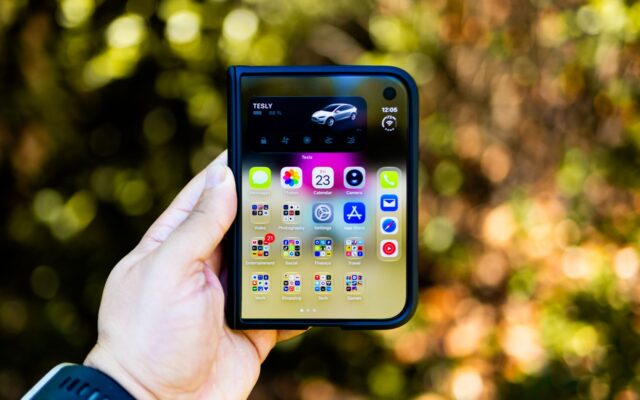
Apple’s first foldable has had a rough first week. Since the iPhone Duo went on sale on October 23, owners have posted photos of cracked inner screens, Apple has confirmed “an issue impacting the inner display,” and iFixit has offered a theory about what might be going wrong. Here’s a clear rundown of the iPhone Duo problems reported so far, what’s confirmed and what isn’t, and exactly what to do if your Duo is affected.
The main problem: a crack along the fold
The complaints follow the same pattern. The inner display cracks along the hinge, usually on the lower half of the screen, and a bright white line appears running from the center toward one side. Some owners say the hinge felt stuck, or that they heard a pop or crunch, right before the damage appeared. According to reports cited by TechCrunch, it has happened after just hours or days of use. We covered the first reports in iPhone Duo screens cracking on day one.
On October 26, Apple confirmed it is aware of “an issue impacting the inner display on a small number of iPhone Duo units” and told affected owners to contact AppleCare for a replacement. An Apple spokesperson added that most units aren’t susceptible and that the problem shows up quickly on the ones that are. More in our story on Apple’s response.

What might be causing it
iFixit’s teardown points to the hinge. Its theory is that a center support bar may not fully retract when the phone closes, pressing against the inner display. iFixit is clear that it hasn’t confirmed this happens in retail units or that it caused the reported cracks, and Apple hasn’t named a cause. iFixit gave the Duo a provisional repairability score of 5 out of 10, with the inner display and hinge as its weakest points. In its dust test, the hinge collected less dust than the Galaxy Z Fold8 and Pixel 11 Pro Fold, though iFixit still wouldn’t take it to the beach.
How big is the problem?
Probably smaller than social media makes it look. MacRumors says some of the viral photos of cracked Duos are AI-generated, which makes the real scope hard to judge. Engadget says its review unit hasn’t been affected, and a Duo that CNET is folding in a hinge test has passed more than 55,000 folds so far. Still, Apple has acknowledged the defect, so if you own one, it’s worth paying attention during the first days.
The crease
Separately, 404 Media reports owners noticing a visible crease down the middle of the screen within days. Every foldable has one, and Apple’s nanotexture coating helps hide it, but some people expected less. For how it holds up over time, see our iPhone Duo crease test.
How to check your iPhone Duo
- Open and close it at a normal speed a few times. The hinge should move smoothly, without catching.
- Listen for clicks, pops or crunching sounds when you unfold it.
- With the phone open, look at the area along the fold on a white screen for lines, bright streaks or dead pixels.
- Do this during the first days you own it: Apple says the defect appears quickly on affected units.
What to do if your iPhone Duo cracks
- Stop folding it. Repeated opening and closing can make the damage worse.
- Take photos of the screen and note when it happened.
- Back it up. Go to Settings > [your name] > iCloud > iCloud Backup and tap Back Up Now, so a replacement can be set up with your data.
- Contact Apple. Use the Apple Support app or getsupport.apple.com, or book an appointment at an Apple Store. You can check your coverage at checkcoverage.apple.com.
- Don’t go to a third-party shop. Apple has said affected owners should contact AppleCare for a replacement, and an outside repair could complicate that.
Owners report getting replacements in store, sometimes on the spot, but stock is limited, so some are being asked to wait.

What repairs cost
If your Duo is damaged outside of this issue, repairs aren’t cheap. According to Apple’s published estimates, replacing the inner display costs $999 without AppleCare+, half the price of the $1,999 phone, and $99 with it. Other prices include $379 for the outer display, $229 for the battery or rear camera, and $49 for the cover layer over the folding screen ($19 with AppleCare+). AppleCare+ with Theft and Loss for the Duo costs $19.99 a month, $199.99 a year or $399 up front. On a foldable, it’s worth considering.
Other complaints from reviewers
- Touch ID instead of Face ID: most reviewers found unlocking slower.
- No telephoto camera: the cameras are a step down from the iPhone 18 Pro.
- Weight: at 254 grams, it’s noticeably heavier than the 201-gram Galaxy Z Fold8.
- Apps: some third-party apps, like Telegram and Disney+, aren’t optimized for the big screen yet.
Should you still buy one?
If you want an iPhone Duo, buying from Apple keeps things simple: you can return it within Apple’s standard return window and get warranty help in store. Check it carefully during the first days, and consider AppleCare+. If you’d rather not be an early adopter, waiting a few weeks to see whether Apple identifies the cause is a reasonable choice.
The bottom line
The iPhone Duo’s cracked screens are real, and Apple has confirmed them, but the problem appears to affect a small number of units and tends to show up early. Check your phone in the first days, and if the inner screen cracks, back it up and contact Apple for a replacement.
Sources: The Verge, Engadget, MacRumors (iFixit teardown), MacRumors, TechCrunch, 404 Media, Tom’s Guide, Notebookcheck
Where to buy
As an Amazon Associate I earn from qualifying purchases.